


FlipaClip: Draw 2D Animation
4.352.45K Reviews
App Specs
- Version
- 4.2.38
- Updated On
- License
- Free
- Downloads
- 50,000,000+
- Developer
- Visual Blasters LLC
- Categories
- Art & Design
- Platform
- Android, iOS
Screenshots
 Analysis by AppCompare
I like FlipaClip: Create 2D Animation best as a low-friction way to learn how movement is built, one drawing at a time. It gives doodlers and curious beginners a practical place to experiment, while its timeline and layers offer enough structure to make a short scene feel intentional. The trade-off is that this is still frame-by-frame work: a polished result takes patience, and a phone screen can feel cramped when a project grows.
That balance matters more than a long list of tools. For me, the app is most compelling when I want to test a small idea—a blinking expression, a bouncing ball, a character waving—without first learning a desktop animation suite. It makes animation feel approachable, but it does not make the drawing, timing, or cleanup disappear. If you enjoy refining little details, that can be satisfying; if you want a finished video with almost no hands-on work, it is probably the wrong fit.
Making a Small Animation Work
I find that a short animation works best when I decide what the viewer should notice before I start polishing the drawings. In this section, I’ll focus on keeping a small idea readable and using the frame-by-frame process to learn from each change. That approach is especially helpful when you’re new to animation and leads naturally into how the app’s drawing tools and timeline support a first attempt.
A friendly start, with a real learning curve
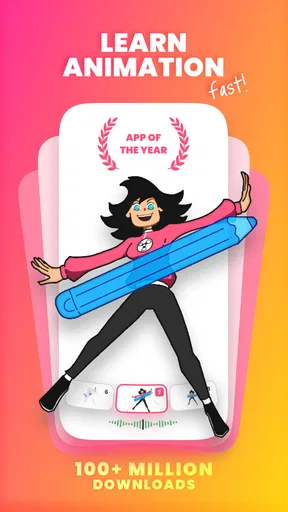
When you first dive into FlipaClip, it feels like opening a fresh sketchbook. The interface is super intuitive, making it a breeze to start creating right away. You don't need to be a professional animator to get the hang of it, which is a major win for those of us who are just dabbling or learning the ropes.
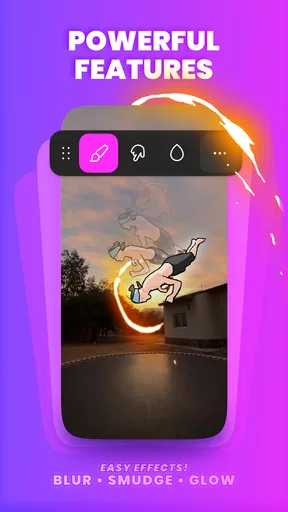
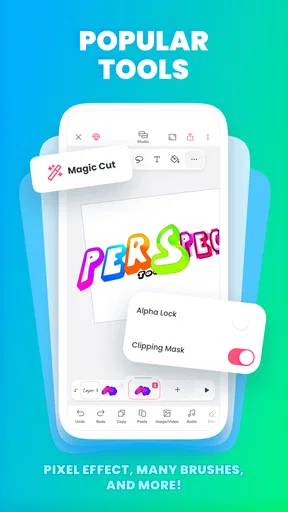
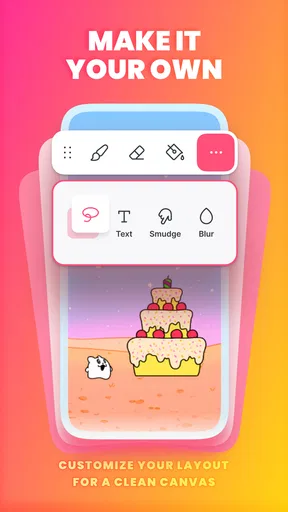
The app offers a variety of drawing tools – think brushes, lasso, fill, eraser – you name it. My personal favorite is the onion skin feature. It lets you see the previous layer while working on the current one, which is a crucial element for animation. It feels like a friendly guide helping you build a seamless frame-by-frame animation.
That onion-skin view is especially useful when I’m trying to keep a hand, face, or prop from drifting between frames. I’d use it to check the position of a moving object, then make smaller adjustments instead of redrawing the whole pose from memory. A useful beginner habit is to make a rough pass first: sketch the key positions, check whether the action reads, and only then spend time cleaning lines. This avoids polishing frames that may later need to move or change.
For a quick everyday project, imagine having ten minutes during a break and wanting to make a tiny reaction animation for a group chat. I’d keep the scene to one character and one clear action, use a simple background, and focus on readable timing rather than detail. That kind of constraint plays to the app’s strengths: the idea stays manageable, and the result can still feel personal. Trying to animate a crowd, detailed scenery, and several actions in the same short session is a much less forgiving plan.
Worth Reading Before You Choose

Baby Panda World Brings Quick Play to Modern Phones, but Its Game Library Feels Busy

ESPN’s Live Game View Makes Following Close Games Easier

QuizzLand Review: A Good Fit for Short Trivia Breaks, Not Every Player

Basketball Stars: Multiplayer Is Fast, but Can It Recover When Matches Go Wrong?

WEBTOON Turns Phone Updates Into a Better Reading Routine

Link to Windows Runs on Shared Habits, Not Social Feeds
Layers and sound help, but planning still matters
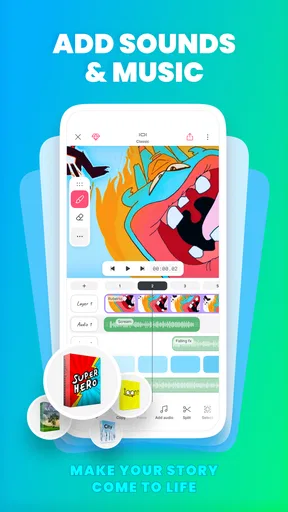
One thing that really impressed me was the multi-layering capability. With up to three free layers, you have the flexibility to separate your animation into different components. This is especially handy for complex projects where you need to tweak different elements individually.
Even with a small layer limit on the free setup, separating a character from a background can save a lot of redraw work. I’d also reserve a layer for an element that needs independent movement, such as a foreground prop, rather than splitting every detail. Too many separately managed pieces can slow down a simple project; a few purposeful layers make revisions easier without turning the timeline into extra housekeeping.
Another highlight is the audio feature. You can add up to six audio tracks and sync them with your animation, which is a game-changer if you’re aiming to create something more dynamic and engaging. Imagine your characters moving perfectly in time to a beat or a voiceover. Pretty cool, right?
In practice, I’d settle the sound before fine-tuning the final timing. A short spoken line or a sound cue gives you a clear moment to animate toward, while adding audio after every drawing is finished can mean revisiting frames to make the action fit. For a first attempt, one voice or a simple rhythm is easier to manage than a busy mix. Audio adds expressive possibilities, but it cannot fix unclear poses or movement that feels hard to read.
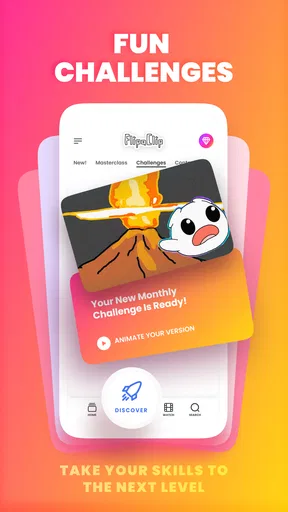
And, if you’re ever stuck or looking for inspiration, FlipaClip’s community is buzzing with creativity. You can explore other users’ projects, participate in contests, and even find tutorials to amp up your skills.
I’d treat community examples as study material rather than a standard to match. Watching a short animation more than once can reveal how a creator uses pauses, repeated poses, or a small change in expression to make a scene work. Then try borrowing the principle—not copying the finished drawing—in a tiny exercise of your own. That is a more useful way to build confidence than comparing an early experiment with someone else’s polished work.
Who will get the most from it
This is a strong choice for sketchers, students, hobbyists, and anyone who wants to understand the basics of timing and frame-by-frame movement without starting on a computer. It is also handy for artists who already draw on a phone or tablet and want to turn a still character into a short loop. Parents looking for a creative activity may find the approachable format appealing, though the app is rated for Everyone and younger users will still benefit from adult guidance around purchases and sharing creative work.
I would look elsewhere if my main goal were complex production with a large cast, detailed compositing, or precise editing across a long sequence. A desktop animation program is usually more comfortable for that kind of project because a larger workspace and keyboard controls make repeated adjustments easier. Likewise, if I only wanted to trim clips, add captions, and assemble existing footage, a conventional video editor would be a better match; FlipaClip is built around drawing the motion itself, not replacing every editing tool.
Compared with other mobile drawing apps, its defining advantage is that the frame sequence is central rather than an afterthought. A standard sketching app is more comfortable for a single polished illustration, but it does not offer the same direct path from successive drawings to movement. Against desktop animation software, the convenience of working on a handheld device is real, yet the smaller canvas and deliberate frame-by-frame workflow make it less suitable for intricate, time-consuming scenes. I see it as a companion for quick studies and personal projects, not a substitute for every tool in an animator’s kit.
Cost, expectations, and practical limits
FlipaClip is free to download, with in-app purchases ranging from $5.99 to $39.99 per item. The free layer allowance gives a newcomer room to test whether the workflow suits them, but it also encourages sensible planning: decide which elements truly need separation before drawing a long sequence. I would start with a small project and only consider a purchase after identifying a specific limitation that is getting in the way, rather than paying just because a project feels ambitious.
The app has been developed by Visual Blasters LLC and has been available since April 2, 2012. Its current version is 4.2.18, and it requires Android 7.0 or later. It has a 4.4 average from around 758,000 ratings and more than 50 million installs, which suggests it has found a broad audience, though popularity alone cannot tell you whether its hands-on workflow matches your patience. It is rated for Everyone, so the basic creative activity is widely accessible.
A common question is whether I need drawing experience before trying it. I don’t think so: simple shapes and a clear action are enough to learn the core rhythm, and the first useful goal is a readable movement rather than beautiful linework. Another practical question is whether it suits a serious project. It can support a carefully planned short animation, but I would test the full workflow on a small scene before committing to a large one; frame-by-frame drawing takes time, and a compact screen makes fine edits slower.
A recommendation with a clear boundary
In a nutshell, FlipaClip is not just an app; it's a canvas for your imagination. Whether you're a newbie or a seasoned animator, it offers something for everyone. With its user-friendly interface and robust features, creating animations has never been more accessible or fun.
My more specific recommendation is to approach it as a sketchbook that moves: start with a tiny loop, use onion skin to control consistency, and keep layers for pieces you genuinely need to adjust independently. That workflow gives you a useful feel for timing before you invest effort in a longer scene. If you enjoy drawing and don’t mind revising frames, it can be a rewarding creative habit. If you want automatic motion, extensive production controls, or a spacious desktop-style workspace, another kind of tool will serve you better.
So, if you’ve ever wanted to see your drawings leap off the page and into the world of animation, give FlipaClip a try. Trust me, once you start, you might find it hard to stop!
Pros
- Intuitive interface for beginners.
- Wide range of drawing tools.
- Frame-by-frame animation support.
- Layers for detailed animations.
- Easy export and sharing options.
Cons
- Ads in the free version.
- Limited audio features.
- Requires manual frame adjustments.
- No vector drawing support.
- Occasional app crashes.
FAQs for FlipaClip: Draw 2D Animation
What is FlipaClip and who is it suitable for?
FlipaClip is a user-friendly animation app designed for both beginners and experienced animators. It allows users to create 2D animations using a frame-by-frame technique. The app is perfect for artists, students, or anyone interested in exploring animation, providing a platform to unleash creativity without requiring advanced skills.
What features does FlipaClip offer to enhance animation creation?
FlipaClip offers a range of features including layers, drawing tools, and an animation timeline. Users can import images, add audio, and export their animations. The onion skinning feature helps in drawing frame-to-frame animations, while the customizable canvas size and pressure-sensitive stylus support enhance the creative process.
Is FlipaClip available for both Android and iOS devices?
Yes, FlipaClip is available for download on both Android and iOS platforms. It can be found on the Google Play Store for Android users and the Apple App Store for iOS users. The app is regularly updated to ensure compatibility and includes features that cater to both operating systems.
Are there any in-app purchases or subscriptions required in FlipaClip?
FlipaClip is free to download, but it offers in-app purchases for additional features. Users can purchase the premium version to remove ads, unlock new features like more layers, and gain access to advanced tools. This ensures a more comprehensive animation experience for those looking to expand their creative capabilities.
How does FlipaClip support collaboration and sharing of animations?
FlipaClip allows users to easily share their animations across various platforms. Users can export their projects as MP4, GIF, or image sequences, making it simple to share creations on social media or with friends. The app also supports collaboration by allowing users to import and export project files for joint projects.


